
Agenda
- Prerequisites
- Access Theia
- Add title Parameter
- Update Md5sum
- Validation
Prerequisites
Access Theia
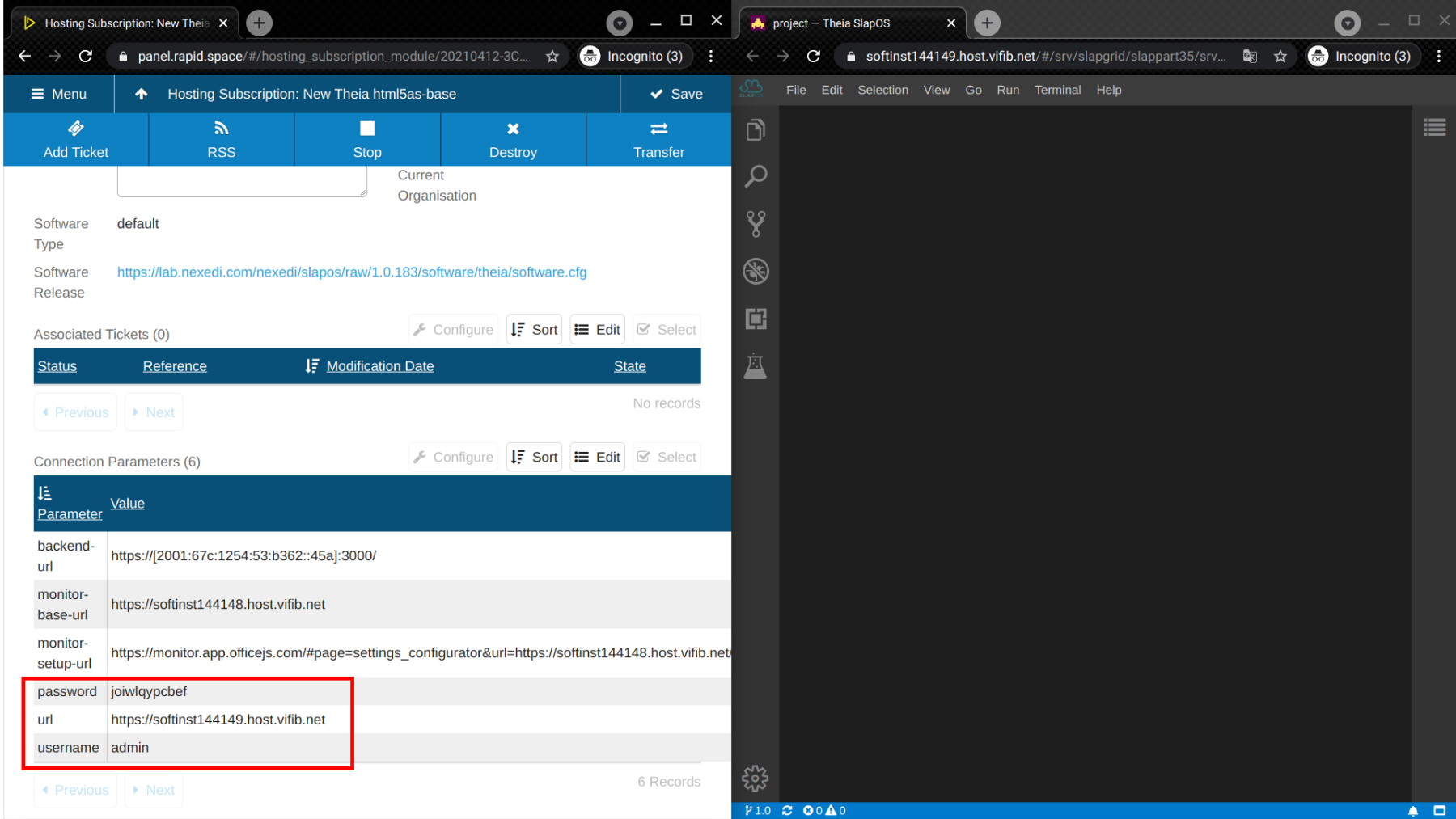
You can access the Theia using the url and logging in with username and password.
Locate instance.cfg.in
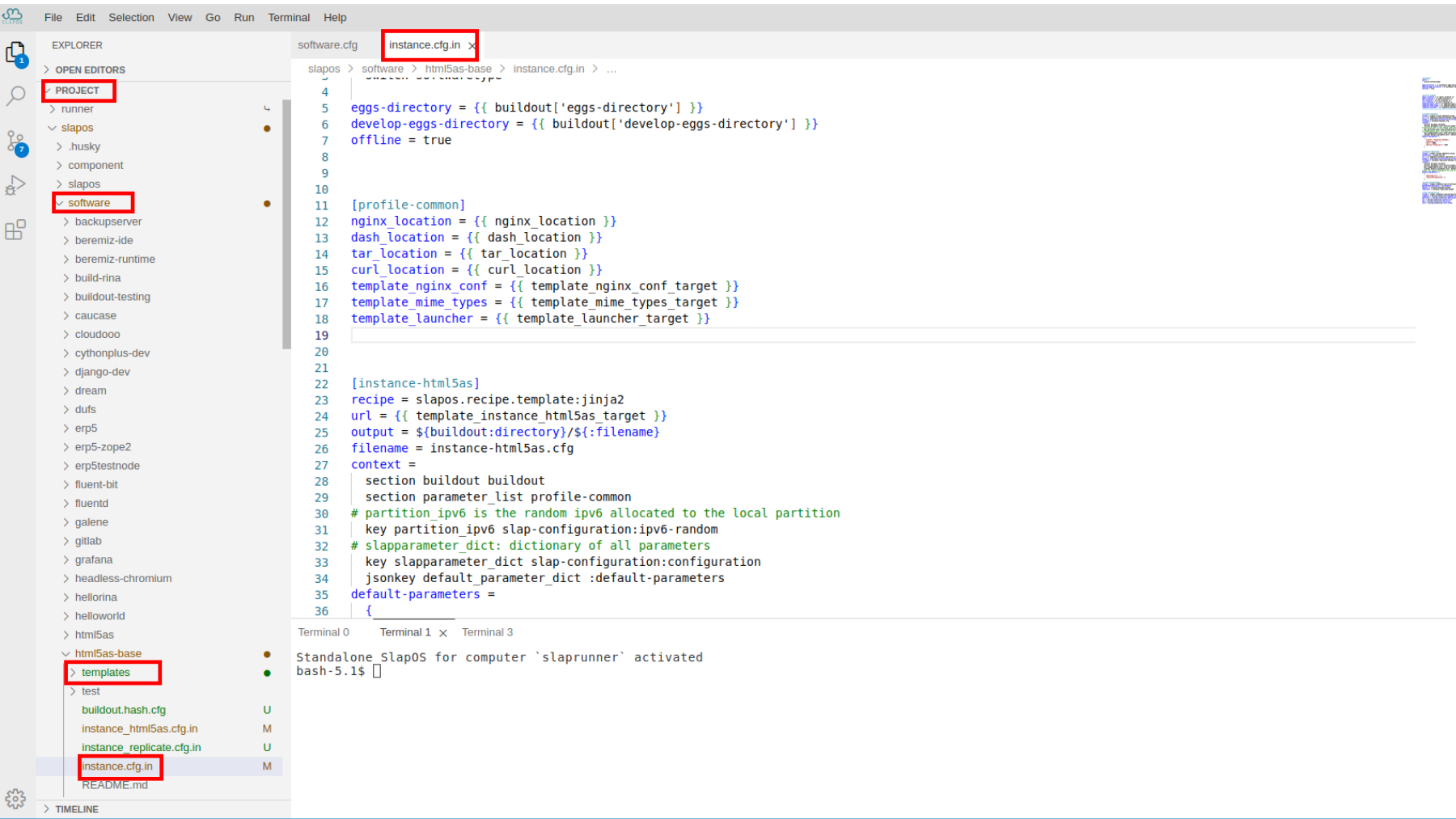
Locate instance.cfg.in to add title parameter.
Add title Parameter to slapparameter Dictionary
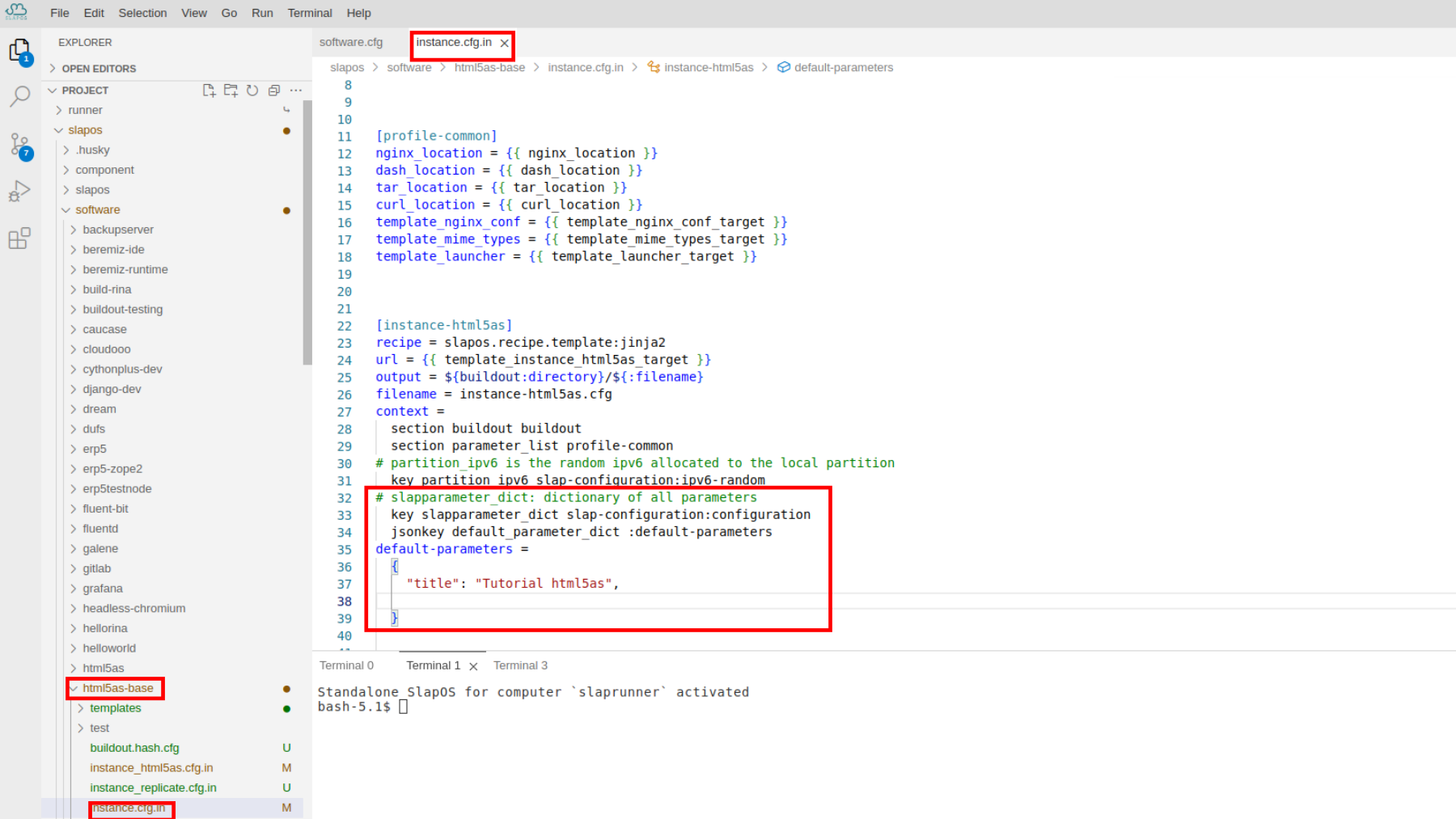
Add default-parameters as a jsonkey to slapparameter_dict (dictionary of all parameters) in [instance-html5as] section, so it can then be used later.
# slapparameter_dict: dictionary of all parameters
  key slapparameter_dict slap-configuration:configuration
  jsonkey default_parameter_dict :default-parameters
default-parameters =
  {
    "title": "Tutorial html5as"
  }
set parameter_dict
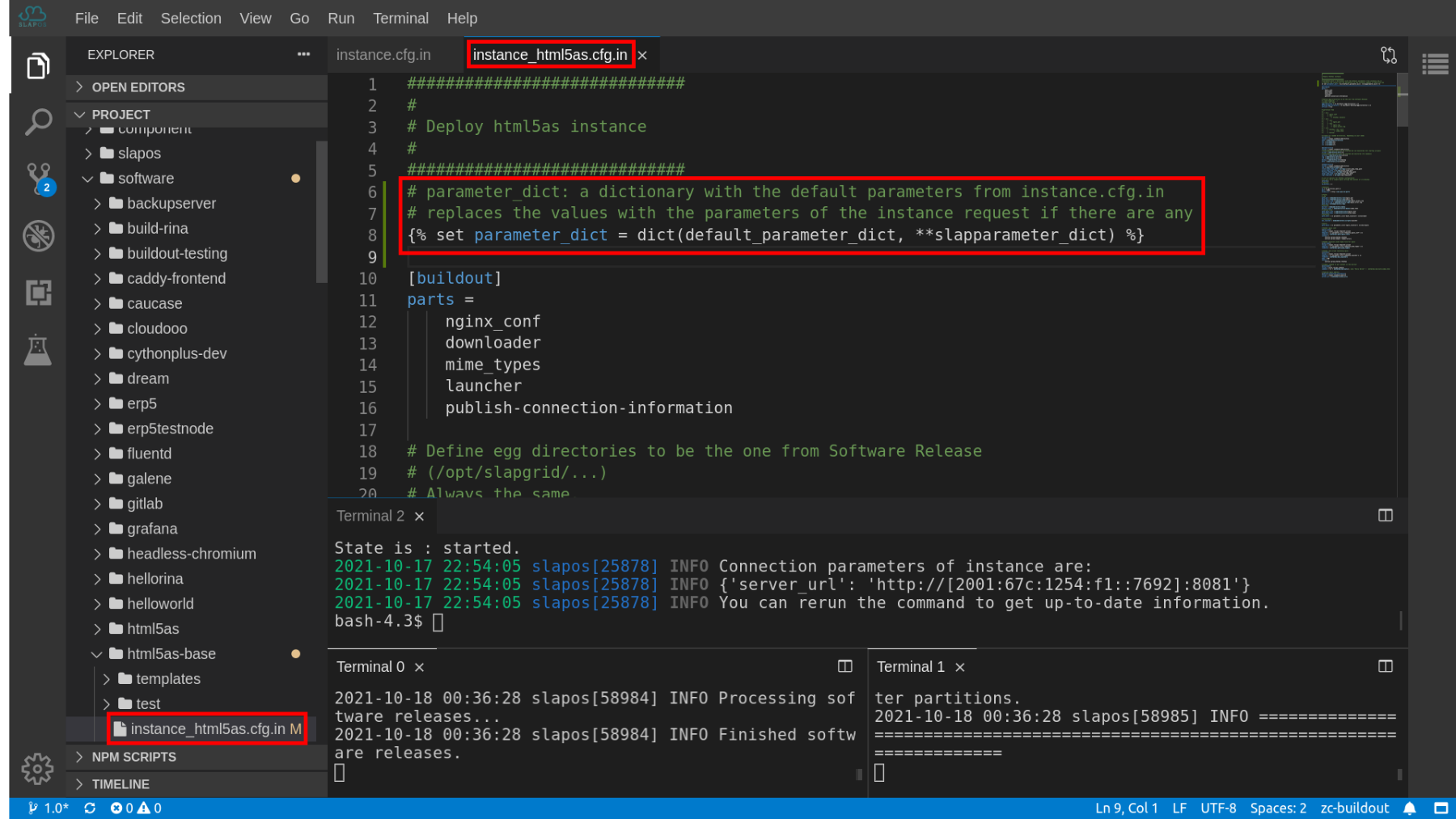
Set parameter_dict as a dictionary with the default parameters from instance.cfg.in to instance_html5as.cfg.in:
# parameter_dict: a dictionary with the default parameters from instance.cfg.in
# replaces the values with the parameters of the instance request if there are any
{% set parameter_dict = dict(default_parameter_dict, **slapparameter_dict) %}
Add title Parameter
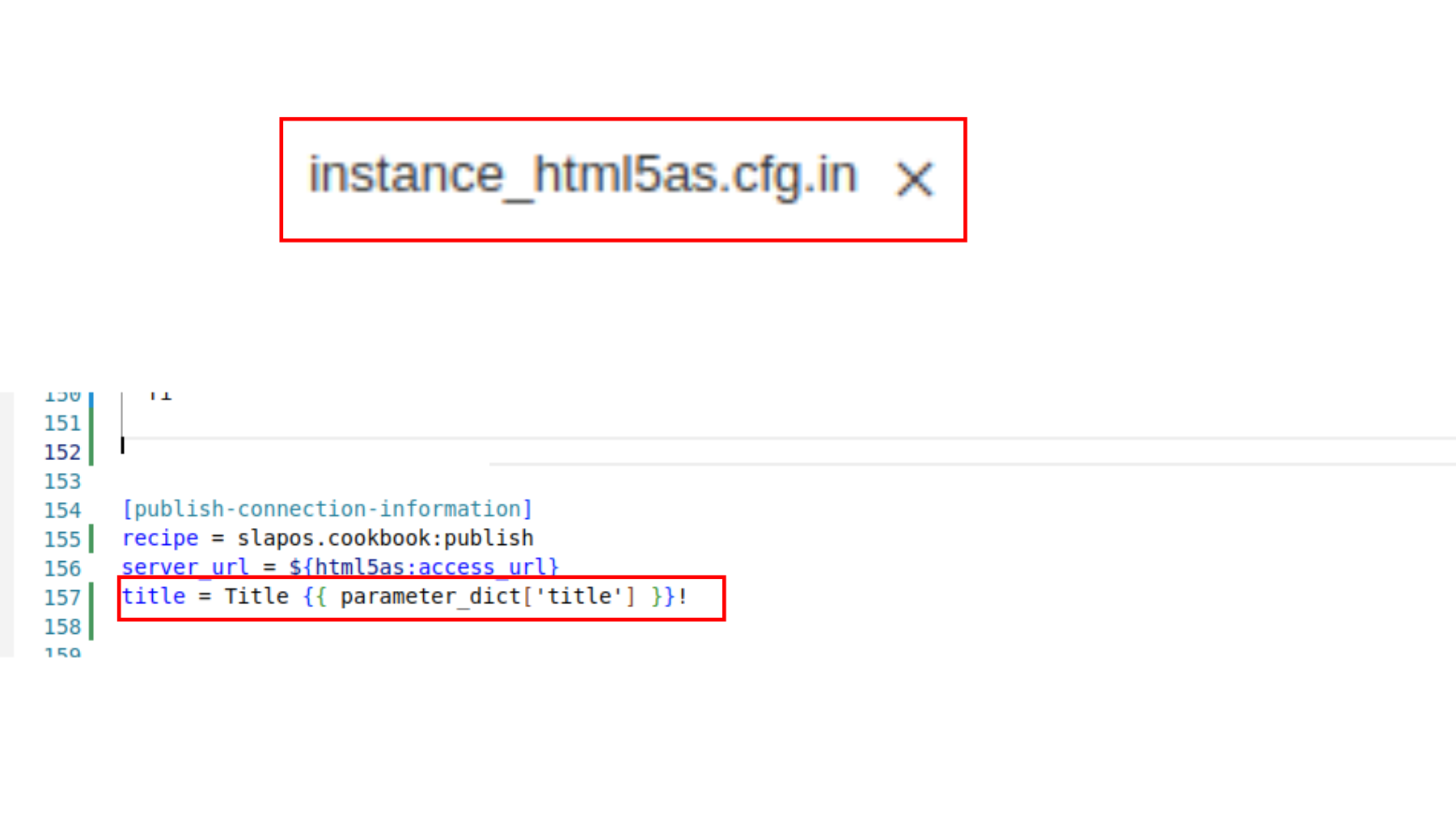
Add title into [publish-connection-information], so it can be published while inspecting the connection parameters.
title = Title {{ parameter_dict['title'] }}!
Update Md5sum
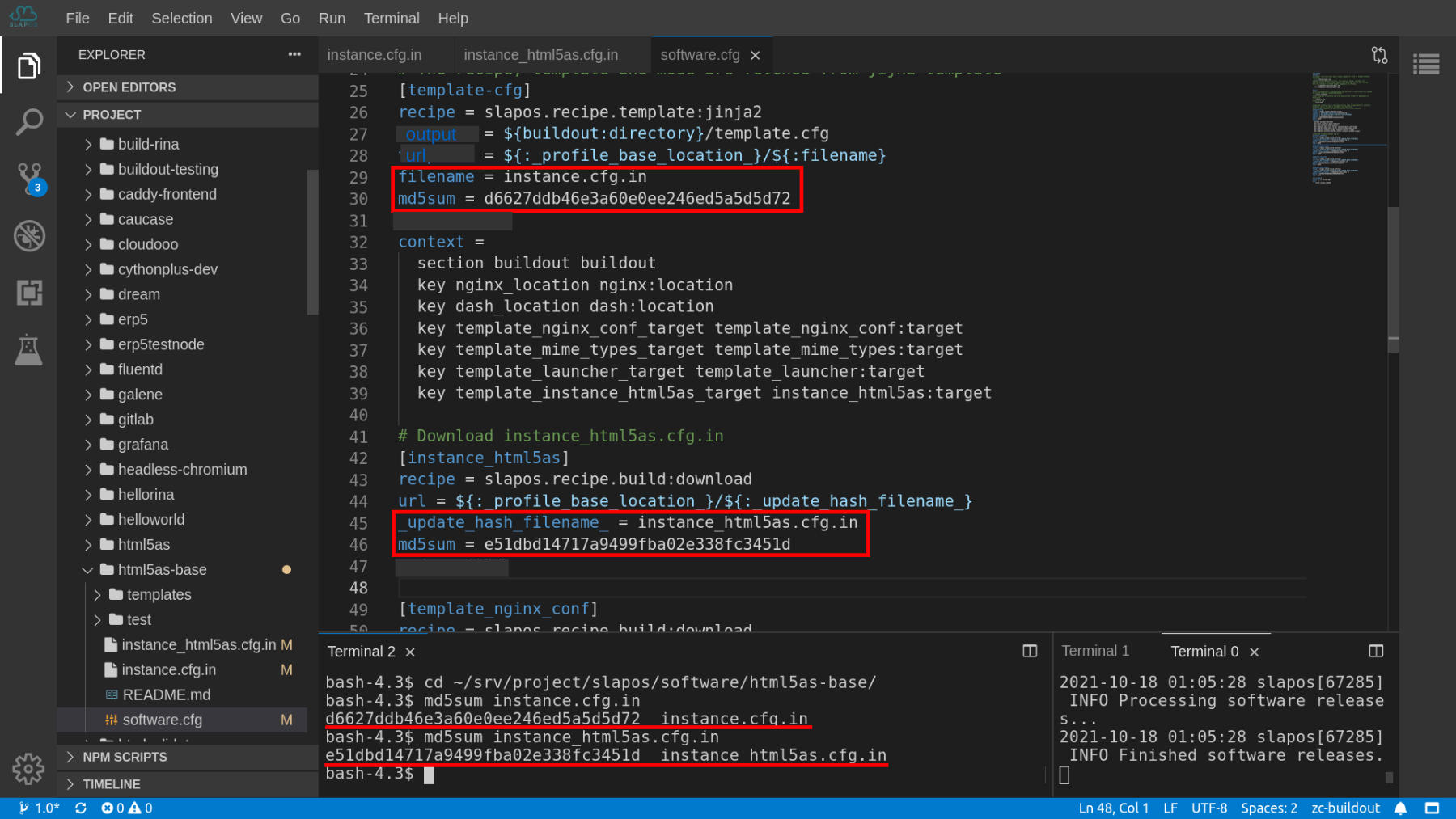
Any buildout.cfg files downloaded by Buildout must have a corresponding MD5 sum. This is done for security and to enforce strict stability of the software release overtime.
Since we modified intance_html5as.cfg.in to have a title parameter, the MD5 sum should be updated to software.cfg.
First, locate software.cfg :
$ cd ~/srv/project/slapos/software/html5as-base/
Then, you can run :
$ md5sum instance.cfg.in
to get MD5 sum of the file. Then copy the hash into [template-cfg] section in software.cfg to replace the old md5sum.
Note: Your md5sum may be different; however, it's not an issue in this context.
Re-compiling and re-instantiating
Re-compiling the software to take default_parameter_dict into account:
$ slapos node software --all
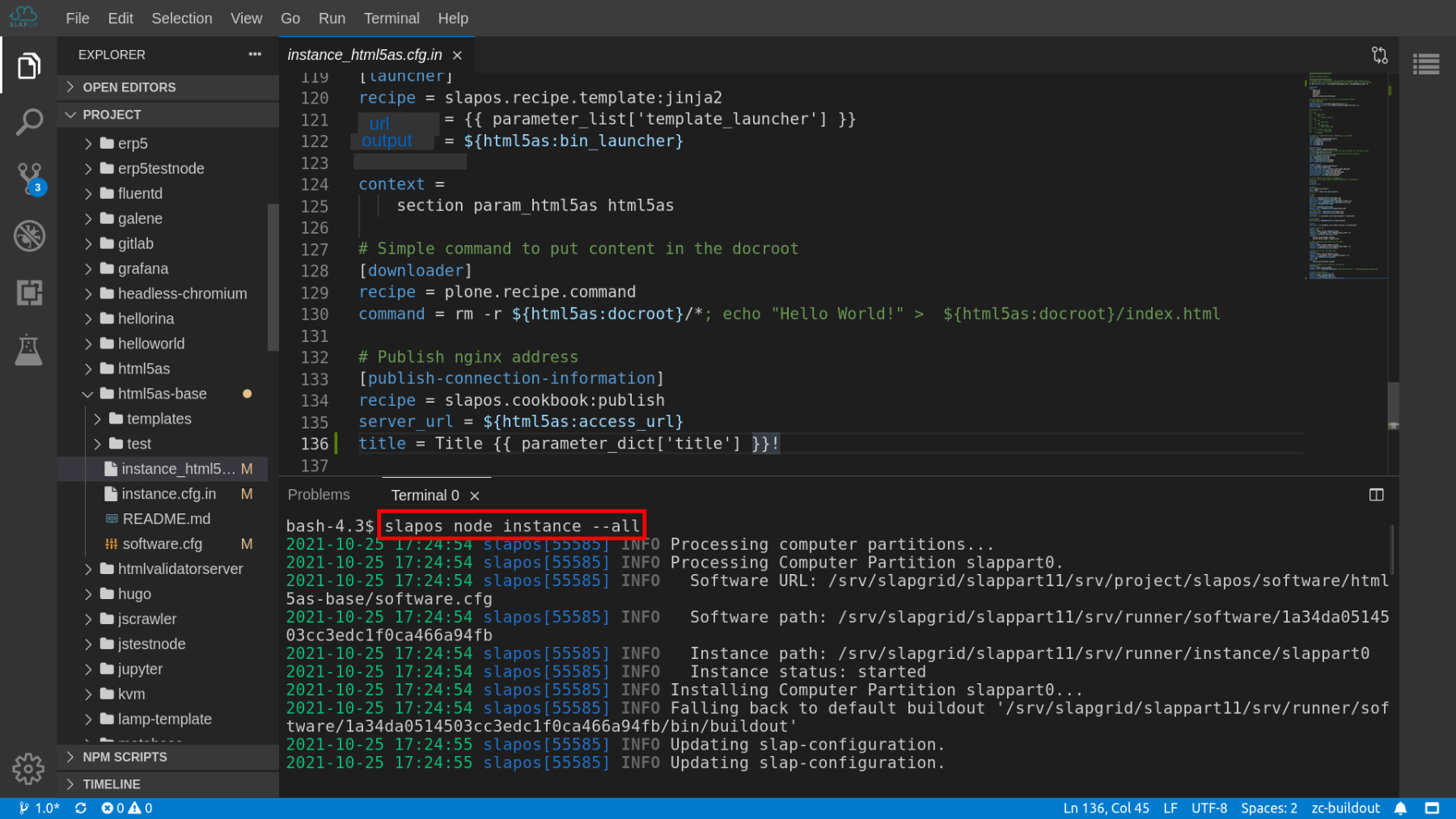
Since we modified intance_html5as.cfg.in to have a title parameter, the instance should be re-instantiated by:
$ slapos node instance --all
You are supposed to re-instantiate it after successful compilation.
Inspect connection parameter
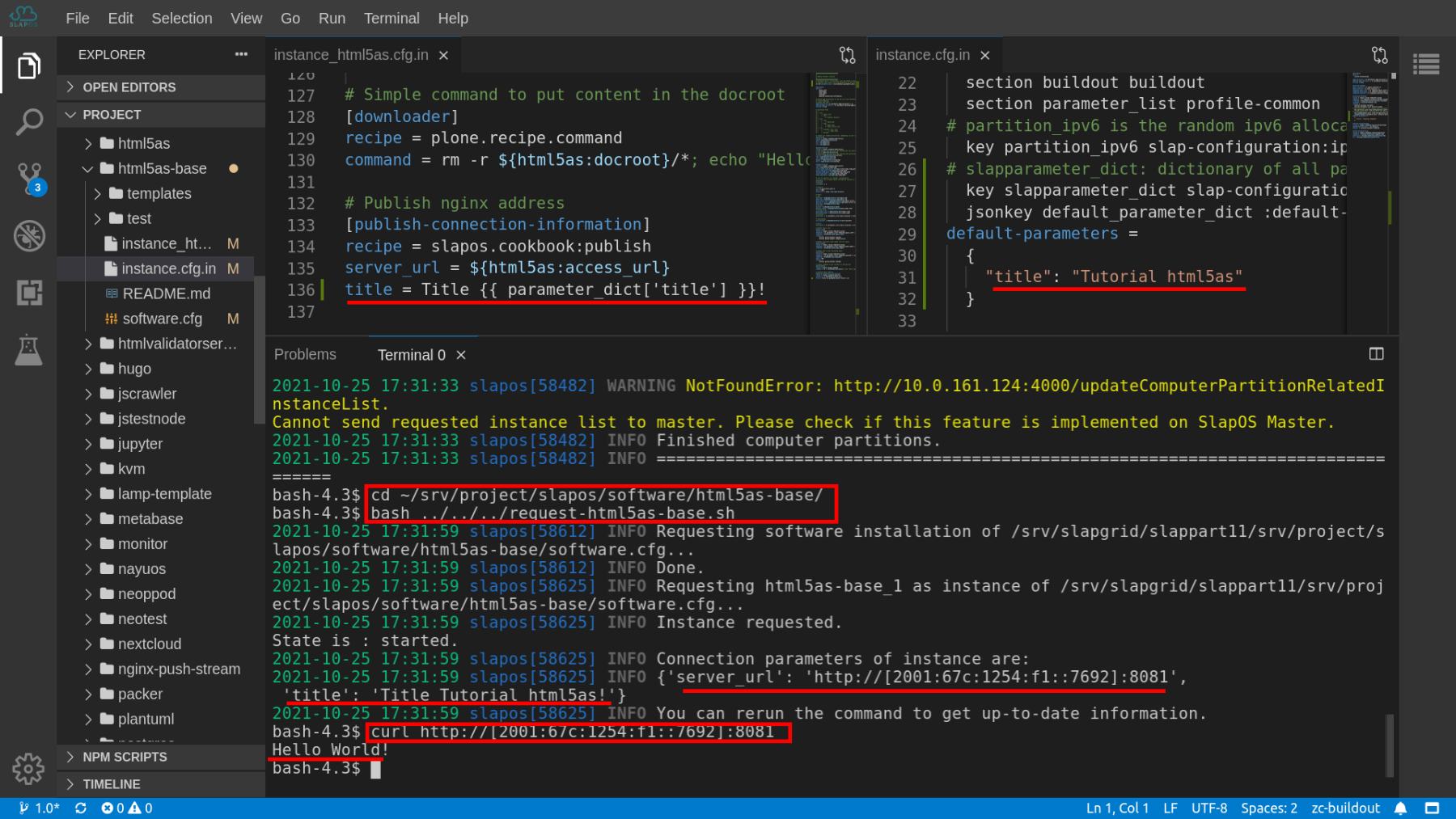
Once it's instantiated successfully, you can inspect the connection parameters by rerunning the request script:
$ cd ~/srv/project/slapos/software/html5as-base/
$ bash ../../../request-html5as-base.sh
The connection parameters with 'title': 'Title Tutorial html5as!' are expected. Tutorial html5as is from the default_parameter_dict.
You can also verify the server_url by
$ curl server_url

Use the link displayed instead of "server_url".
Hello World! will be displayed.
Update Parameter in Request Script
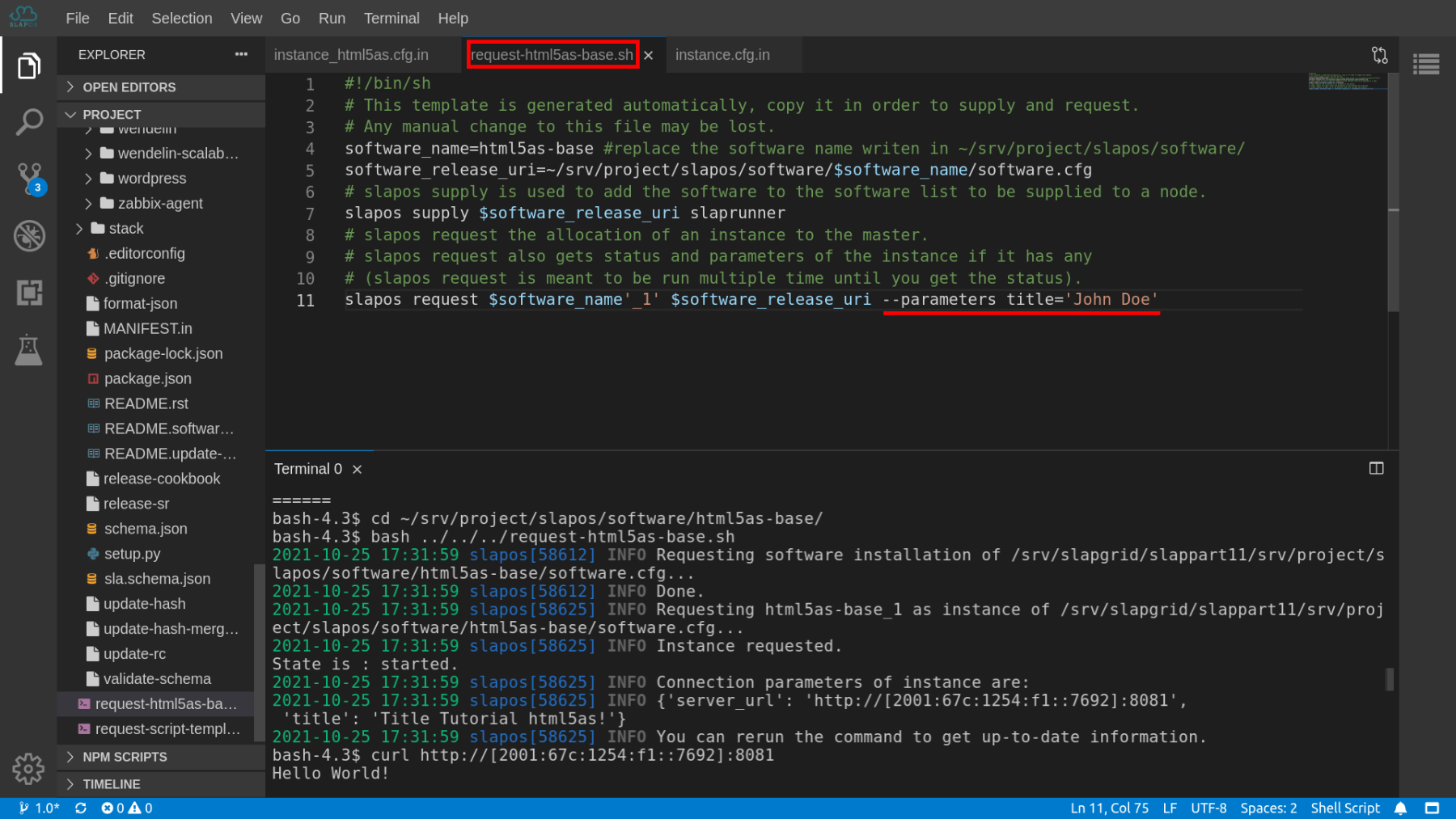
To pass on the parameters to the requesting instance, we rely on --parameters key='value' of slapos request command.
Open the request script and add the parameter:
slapos request $software_name'_1' $software_release_uri --parameters title='John Doe'
Make sure to edit it in your request file instead of the example one.
Re-run Request Script
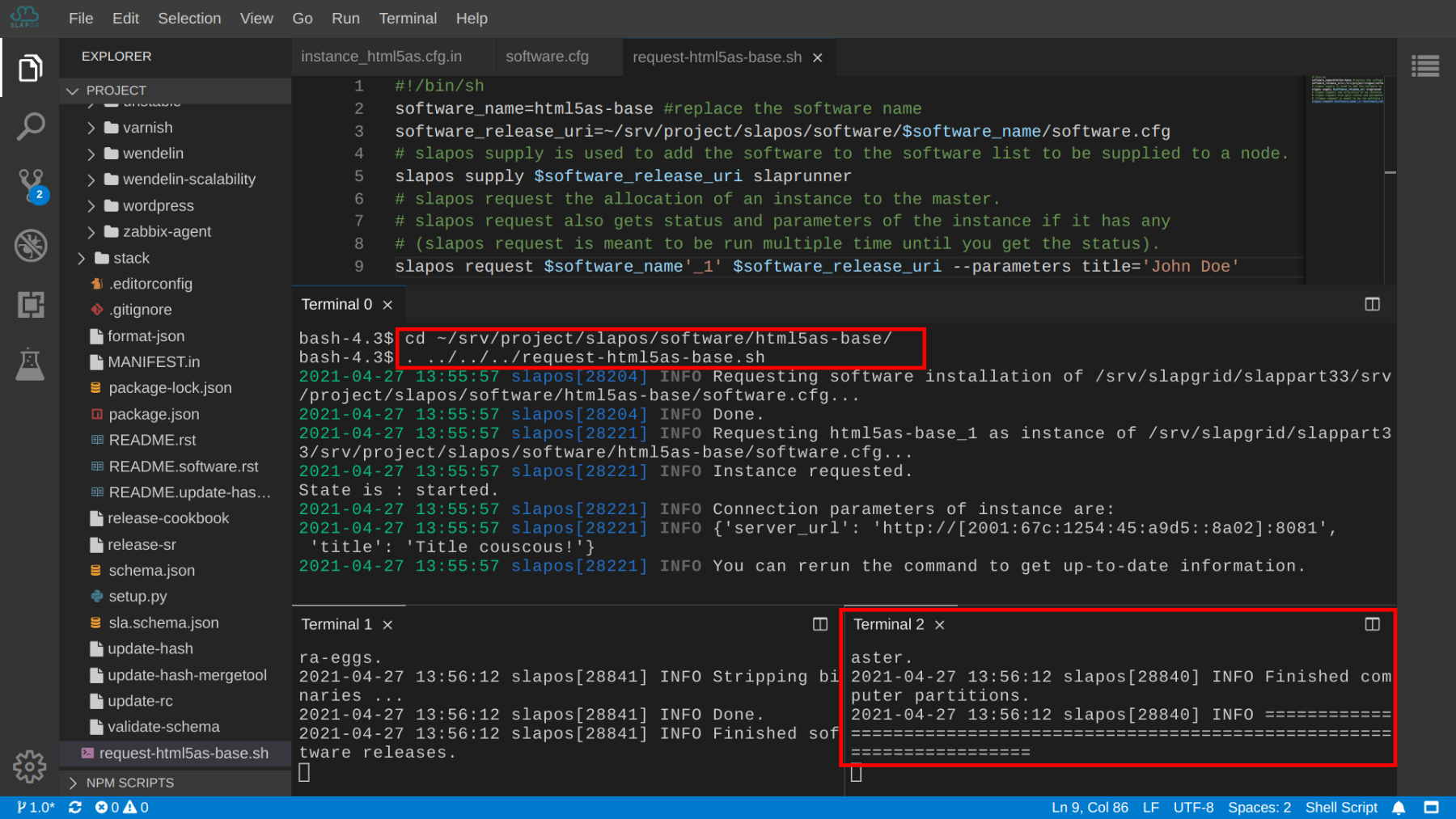
To pass on the parameter, we are supposed to request the instance again by rerunning the request script:
$ cd ~/srv/project/slapos/software/html5as-base/
$ bash ../../../request-html5as-base.sh
To have a title parameter, it should be re-instantiated by:
$ slapos node instance --all
The parameter is taken into account
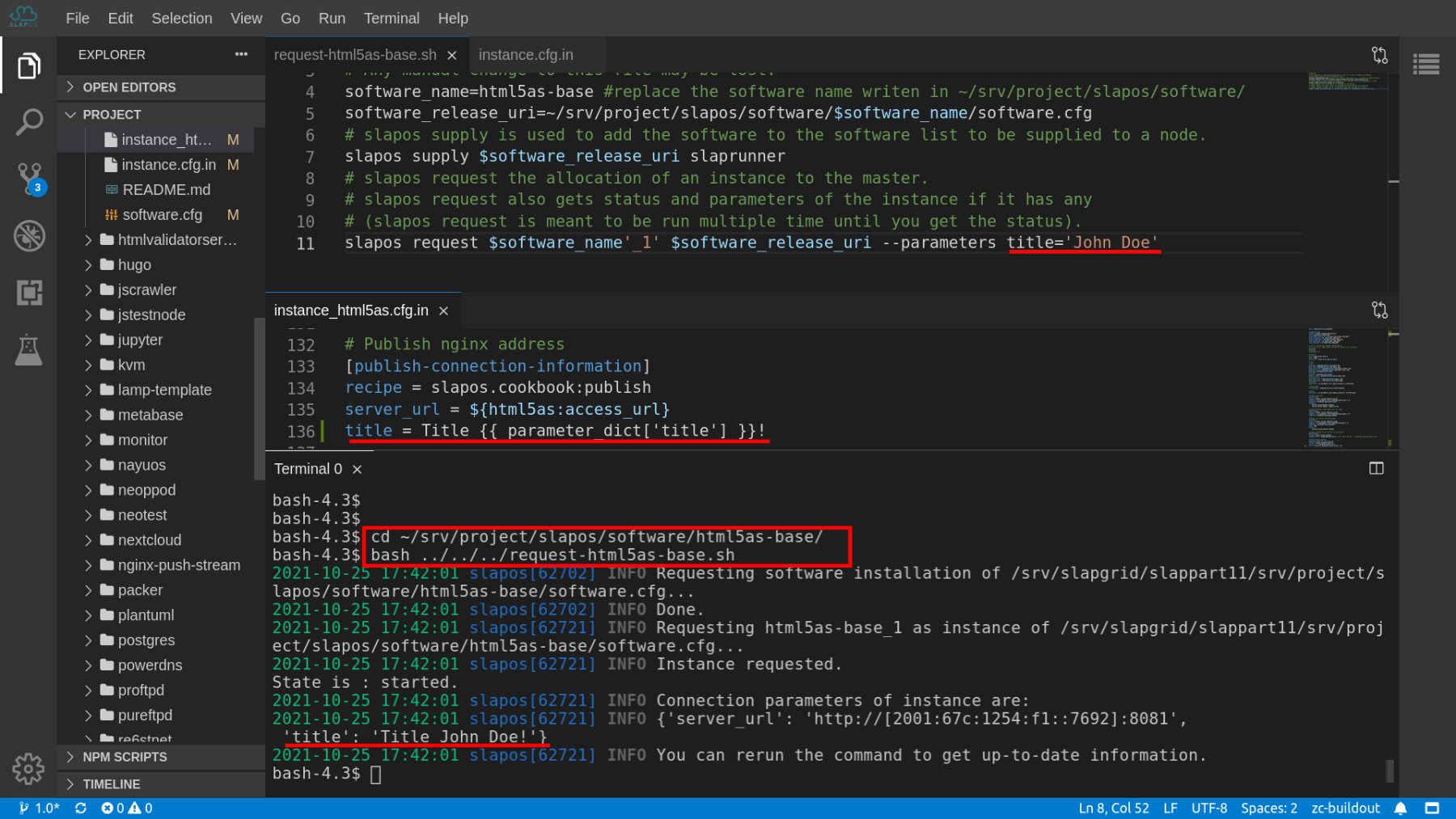
To inspect the modification of connection parameters, we are supposed to run the requesting script again:
$ cd ~/srv/project/slapos/software/html5as-base/
$ bash ../../../request-html5as-base.sh
As you can see from the output, the value of 'title' parameter has been changed form 'Title Tutorial html5as!' to 'Title John Doe!'.
Thank You
- Rapid.Space
- 147 Rue du Ballon
- 59110 La Madeleine
- France
- +33629024425
- contact (@) rapid.space
For more information, please contact Jean-Paul, CEO of Rapid.Space (+33 629 02 44 25).